
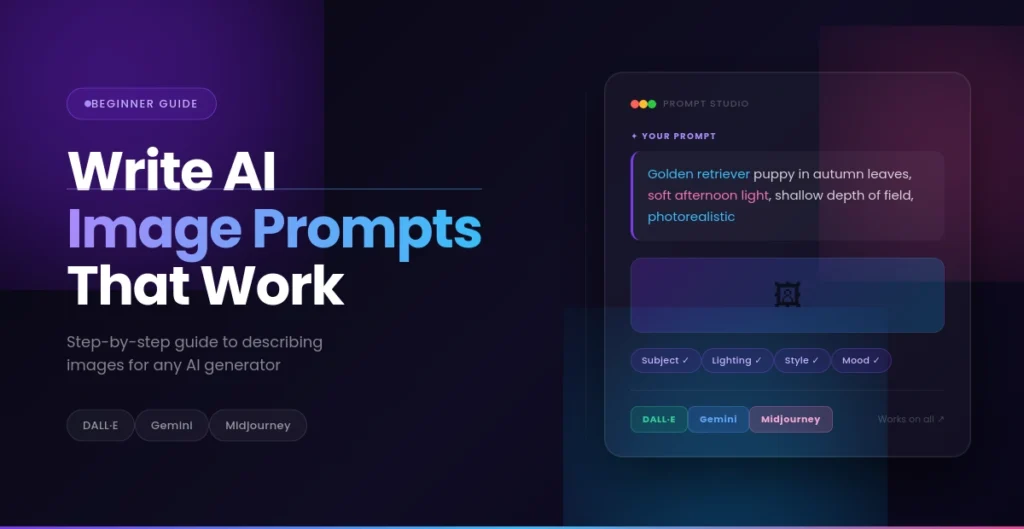
Image Prompts for AI: The Beginner’s Visual Guide
You’re not the only one who has asked an AI to make an image and gotten something that wasn’t what you expected. You have the key, not the AI. It’s all about the way you say what you want.
Writing image prompts is like learning a new language. Once you get the hang of it, you’ll be able to make beautiful pictures that fit your idea. This lesson will teach you everything you need to know, from the basics to real-life examples that you can use right away.
What Are Image Prompts?
A picture prompt is just a written description that tells an AI what kind of picture you want it to make. It’s like telling an artist what to do when they can’t read your mind.
The AI sees the words “a cat sitting on a windowsill” and uses patterns it learned from millions of other pictures to make a picture. The more information you give, the closer the product will be to what you want.
AI image prompts work with a number of programs, such as DALL-E, Midjourney, Stable Diffusion, and Gemini’s image generator. Each tool is a little different, but the basic rules for writing good prompts are the same.
Why Image Prompts Matter in AI Art
The most important thing is your prompt. It is in charge of every part of the final picture.
The way you talk about something can change the style of your image, making it look like a picture, a watercolor painting, or a 3D model. It changes the lighting, which can turn a beautiful picture taken at noon into a dark picture taken at sunset.
The words you choose can also change the mood. If you call something “cozy” instead of “dramatic,” it will feel very different. The level of realism changes when you ask for “photorealistic” or “artistic interpretation.”
Your prompt even tells the composition, like what’s in focus, what’s in the background, and how the parts fit together. Two people asking for “a beach” can get very different pictures based on how they say it.
How AI Understands Image Descriptions
AI doesn’t “see” things the same way we do. It looks for patterns in what you say.
The program takes your description of an AI image and breaks it down into keywords. The AI has figured out that words like “sunset,” “portrait,” or “vintage” make it see certain patterns.
Context is important too. When you write “apple,” the AI needs to know what you mean by “fruit” or “tech business.” By adding “red apple on a table,” it makes it clear where to go.
A lot of help comes from visual cues in your language. Words like “soft,” “sharp,” “bright,” or “dim” tell the AI how things feel and how much light there is. “Running,” “floating,” and “exploding” are words that show how things move and how much energy they have.
The AI can also find patterns in language it has seen with certain types of pictures. It knows to use bright colors and brushstrokes that swirl when you say “in the style of Van Gogh.”
How to Write an Image Prompt (Step-by-Step)
Let’s talk about how to write image prompts that do what they say they will.
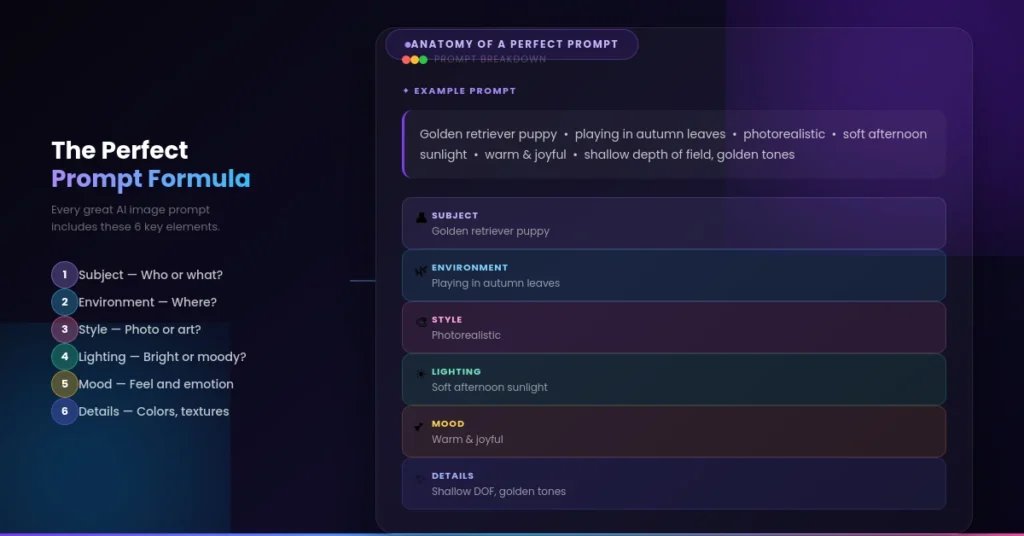
Begin with the topic. This is the main point of your picture. Be clear. Instead of “person,” say “young woman in her 20s” or “old man with a beard.”
Add the setting. Where does this happen?Your subject can be “on a mountaintop,” “in a coffee shop,” or “in a futuristic city.”
Choose a style. Do you want it to look like a photo? A photo? A drawing? Use words like “digital art,” “photorealistic,” “watercolor illustration,” or “oil painting.”
Talk about the light. This is what makes or breaks a picture. Some good choices are “golden hour lighting,” “dramatic shadows,” “soft natural light,” or “neon glow.”
Pick the camera’s angle. Are we looking down from above? At eye level? Up close? You could say “aerial view,” “close-up portrait,” “wide angle,” or “macro shot.”
Get in the mood. “Peaceful,” “chaotic,” “mysterious,” or “joyful” are some words that can set the mood.
Tell me more. These last few touches bring your idea to life. The weather, the time of day, and the colors and textures all have an effect on the final result.
Examples of Good vs Bad Image Prompts
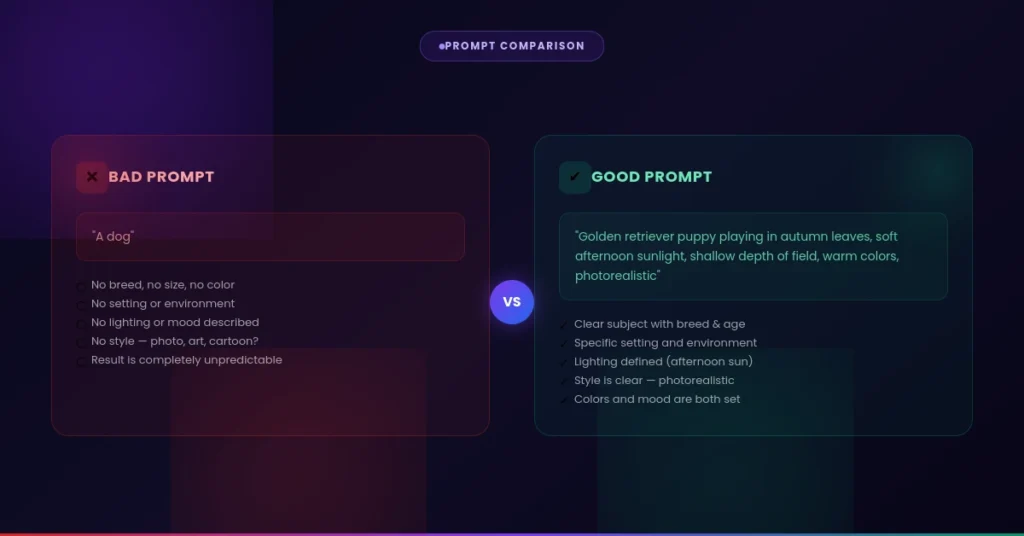
Let’s see how AI photo prompts can be both vague and very clear.
“A dog” is not a good prompt.
This doesn’t give the AI anything to do. What kind of dog do you own? Where? What is it doing? You’ll get a random picture of a dog, which is probably not what you wanted.
Good prompt: “A golden retriever puppy playing in the fall leaves, with soft afternoon light, a shallow depth of field, and warm colors.
This prompt tells the AI exactly what kind of dog, what kind of action, what kind of scene, what kind of lighting, and what kind of style to use. The effect will be much more like what you were thinking.
Bad prompt: “Cool city at night”
Not clear enough. “Cool” is subjective, and “city” can mean anything from a small village to Tokyo.
Good prompt: “Cyberpunk city street at night, with neon signs shining on the wet ground. The lights look like they are from a movie, and the colors are purple and blue. The cars look like they came from the future.
The AI now knows the style (cyberpunk), the mood (rainy night), the colors, and what needs to be there.
AI Image Prompt Examples
Here are ready-to-use prompts for different purposes. Feel free to copy and modify them.
Portrait Prompt
Professional headshot of a confident business woman in her 30s, navy blue blazer, natural smile, office background slightly blurred, soft window lighting from the left, shallow depth of field, eye-level angle, photorealistic, corporate photography styleThis works great for professional profiles, LinkedIn photos, or character concepts.
Landscape Prompt
Misty mountain valley at sunrise, layers of mountains fading into the distance, pine trees in foreground, golden and purple sky, light rays breaking through clouds, peaceful atmosphere, wide angle shot, nature photography, ultra detailedPerfect for wallpapers, meditation apps, or travel content.
Product Prompt
Elegant glass perfume bottle on white marble surface, minimal composition, soft shadows, studio lighting, product photography, clean background, professional commercial style, high detail, centered compositionGreat for e-commerce, marketing materials, or portfolio pieces.
Artistic Style Prompt
Abstract representation of music, flowing waves of color, deep blues and purples transitioning to warm oranges, dreamy atmosphere, digital art, smooth gradients, ethereal mood, desktop wallpaper styleIdeal for creative projects, album covers, or decorative art.
Social Media Photo Prompt
Aesthetic flat lay of morning coffee on a wooden table, croissant, open notebook with handwriting, succulent plant, warm natural light, cozy vibe, Instagram style, overhead shot, soft focus backgroundPerfect for lifestyle blogs, Instagram posts, or Pinterest graphics.
Gemini Image Prompts vs Other AI Prompts
Even though different AI tools have different strengths, the way you prompt stays the same.
Gemini picture prompts work best with descriptions that sound like they are coming from a real person. Gemini is good at understanding context, so you can write longer, more detailed prompts. It can understand what you mean even if you don’t know much about technology.
DALL-E is great at putting together strange ideas and figuring out different styles of art. It does a great job with prompts that are new and creative. You can learn a lot about different kinds of art and how to make them.
Midjourney has its own set of options, like –ar for aspect ratio and –v for version. Most of the time, the community picks shorter prompts that have a lot of keywords. It looks great with styles that are artistic or pretty.
What is the good news? You can use picture prompts on any platform once you know how to write them. First, be sure you know exactly what you want. Then, as you go, learn what each tool likes best.
Common Image Prompt Mistakes
Let’s talk about what doesn’t work so you can avoid these issues.
The main issue is that the descriptions aren’t clear enough. The AI can’t do anything with “make it pretty” or “something cool.” Please tell me what “pretty” or “cool” means to you.
When there are too many styles that don’t match, the AI gets mixed up. It’s hard to understand when you ask for “photorealistic watercolor” or “medieval cyberpunk.” Stick to one main style.
Not remembering lighting is a missed opportunity. Lighting can make a picture look flat or dramatic. Talk about how the light is in the scene all the time.
Without any context, the AI has to guess. There might be a “chair” in space that isn’t there. Give it a home, even if it’s just “in a living room” or “on a beach.”
It could also be bad to have too many details. The AI might not get all 50 of the specific things you asked for or make a big mess. Focus on the 5 to 8 most important things.
It’s hard to understand when you use words that don’t agree with each other. “Bright dark room” and “tiny massive object” don’t make sense. Look for any contradictions in your prompts.
Tips to Improve Image Prompts
Here are some helpful hints for making your AI image descriptions better:
- Use reference styles. Talk about types of photography (“street photography,” “portrait photography”) or art movements (“impressionism,” “art nouveau”) that go along with what you want to do.
- Make sure you know what the colors are. Try “navy blue,” “turquoise,” or “pastel blue” instead of just “blue.” It has to do with how exact the color is.
- Use words that describe texture. For example, “smooth,” “rough,” “glossy,” “matte,” “weathered,” and “pristine.”
- Think about the composition. Words like “rule of thirds,” “centered,” “symmetrical,” or “off-center” can help you frame your picture.
- If you want the picture to look real, give the camera a name. “Shot with Canon 5D,” “85mm lens,” and “bokeh effect” all make pictures look more like photos.
- Try out different names for artists. “In the style of [artist name]” might change how things look, but make sure it’s what you need.
- Use a lot of mood and atmosphere adjectives. Words like “mysterious,” “cheerful,” “melancholic,” and “energetic” change how the story feels.
- Start with the basics and build on them. Make a picture and a simple prompt, and then use what you got to make your prompt better.
- Keep prompts that work. When you make something you love, keep that prompt. Put together your own set of successful formulas.
- Check out good examples. Look at galleries and communities that prompt. Learn which language works best
Conclusion
The more you write visual prompts for AI, the better you get at it. You don’t have to be an artist or a tech expert; you just need to know how to write down what you see in your head.
Start with the basics. Pick one of the prompts above and try it out. Then make it different. Change the colors, the style, and the lighting. Look at it. Every time you try, you learn something new about how AI understands language.
The best prompt writers don’t know all the technical terms. They try different things, pay attention to what works, and keep getting better at what they do.
All you need to get your next great AI image is a good prompt. Now go make something awesome.
