
Holi Photo & Video Editing Prompts: 5 Cinematic AI Prompts for Stunning Festival Edits
Holi is not just a festival — it’s a burst of laughter, color, sunlight, and shared joy. 🌸
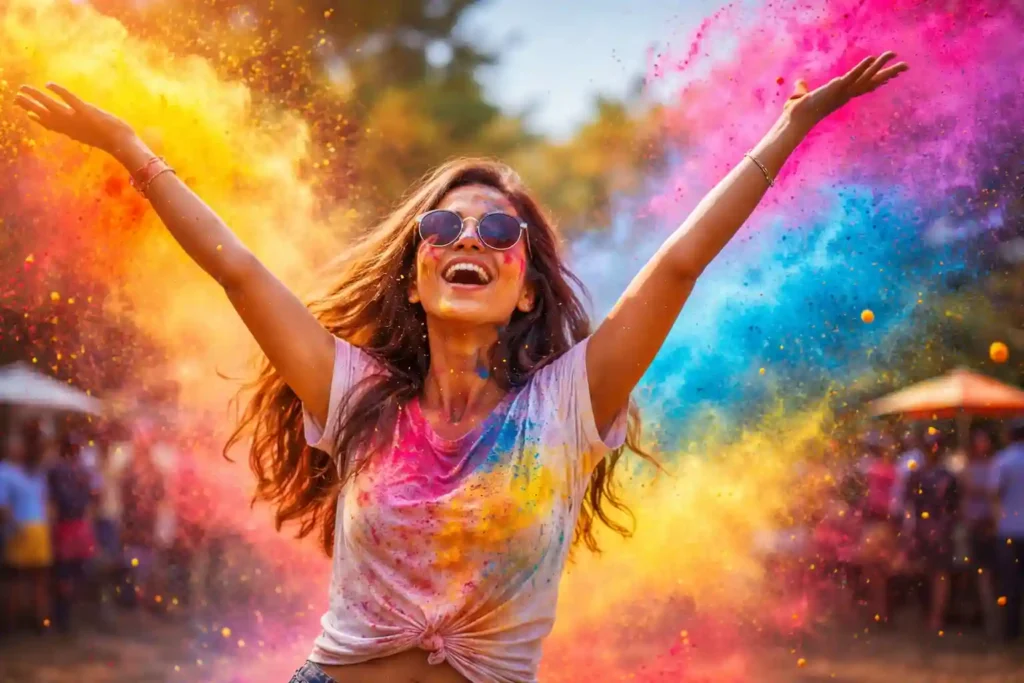
And now, something beautiful is happening online: people are transforming ordinary photos and videos into dreamy Holi scenes filled with floating gulal powder, glowing sunlight, and cinematic color.
Even if you didn’t capture Holi moments this year… you can still create them.
With the right Holi photo editing prompt or Holi video editing prompt, AI tools like ChatGPT, Gemini, and modern photo/video editors can add:
- soft clouds of color
- festival lighting
- powder motion effects
- cinematic grading
- joyful Holi atmosphere
Your normal portrait becomes a festival memory.
Your simple clip becomes a Holi reel.
This guide will give you 5 cinematic Holi prompts you can copy-paste directly into AI tools to create stunning Holi visuals.
What Are Holi Editing Prompts?
A Holi prompt is a written instruction that tells AI how to transform your photo or video into a Holi festival scene.
You describe:
- colors (pink, yellow, blue powder)
- lighting (sunset, warm glow)
- movement (flying gulal, slow motion)
- mood (joyful, festive, energetic)
The AI then adds realistic festival elements around your subject.
For example, you might upload a simple portrait — and the AI can add drifting Holi powder around you, as if someone just threw color in the air.
This is why holi ai photo edit and holi cinematic edit styles are trending on Instagram and reels.
How to Use Holi Prompts in ChatGPT & Gemini
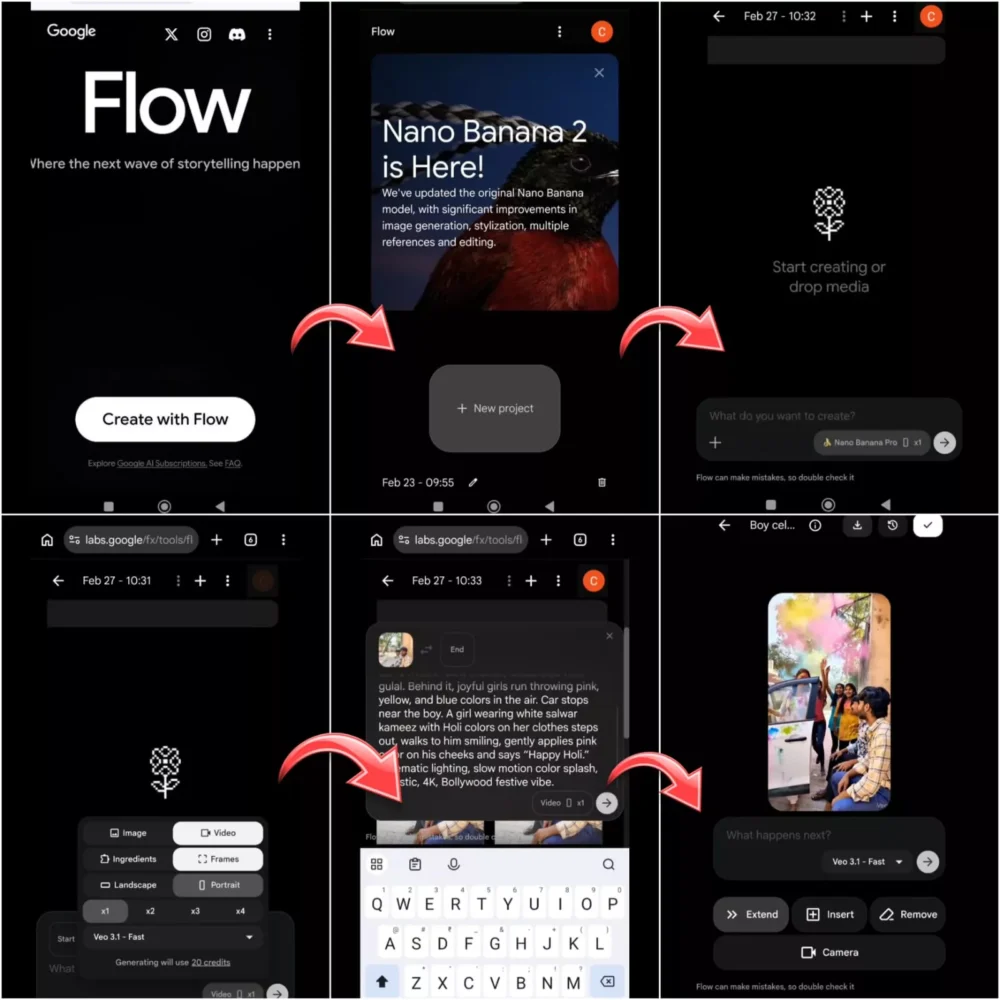
You don’t need editing skills. Just follow these gentle steps:
1. Upload your photo or video
Choose a clear portrait or motion clip.
2. Paste a Holi editing prompt
Copy any prompt from this article.
3. Adjust color intensity (optional)
If your tool allows, increase or soften colors.
4. Generate the edit
AI will apply Holi colors, lighting, and effects.
That’s it 🌈
You’ve created a holi festival photo edit or holi reels edit prompt result in seconds.
5 Cinematic Holi Photo & Video Editing Prompts
Each prompt below is designed to create a different Holi mood — from joyful portraits to energetic dance scenes.
You can use them in:
- ChatGPT image tools
- Gemini image tools
- AI photo editors
- AI video editors
- reels AI apps
Just copy and paste.
1. Vibrant Color Explosion Holi Prompt
This style creates the classic Holi moment — colors bursting around you mid-air.
Perfect for portraits, reels thumbnails, and profile photos.
Transform this photo into a vibrant Holi festival celebration scene. Add colorful powder clouds bursting dynamically around the subject, with bright pink, yellow, blue, and orange gulal pigments floating in the air. Create joyful festival lighting with warm sunlight glow and soft highlights on the face. Add realistic color particles, depth, and motion around the body as if colors were just thrown. Enhance colors with cinematic festival grading, high detail, soft haze, and a cheerful Holi atmosphere. Maintain natural skin tones while surrounding the subject with vivid Holi energy and celebration mood.
Result
You’ll notice clouds of color blooming around you — like frozen joy in the air.
The lighting becomes warmer, and the whole frame feels alive with festival energy.
2. Slow Motion Holi Powder Video Prompt
This prompt is magical for reels and short videos.
It creates drifting, slow-motion color powder movement.
Transform this video into a cinematic slow-motion Holi celebration scene. Add flowing clouds of colored powder drifting gracefully through the air around the subject, with soft pink, yellow, and blue pigments moving in slow motion. Enhance lighting with warm festival sunlight and glowing highlights. Add subtle floating color particles and gentle motion blur to create depth and realism. Apply cinematic color grading with rich saturation and festive contrast. Maintain natural skin tones while surrounding the subject with elegant, slow-moving Holi powder atmosphere and joyful celebration feeling.
Result
Colors appear to float around you in gentle waves — as if time slowed down during Holi.
Perfect for aesthetic reels edits.
3. Golden Hour Holi Portrait Prompt
This style feels soft, warm, and emotional — like Holi at sunset.
Ideal for portraits and romantic festival photos.
Copy-Paste Prompt
Transform this portrait into a golden hour Holi festival scene. Add soft clouds of pastel Holi powder drifting gently around the subject, with warm pink, peach, and yellow tones illuminated by sunset light. Create golden sunlight rays and warm glow on the face and hair. Add subtle color particles floating in the background for depth. Apply cinematic warm color grading with soft contrast and dreamy festival atmosphere. Maintain realistic skin tones while blending the subject into a peaceful, glowing Holi sunset environment with joyful and serene celebration mood.
Result
You’ll see warm sunlight touching the face while gentle Holi colors float nearby — calm, glowing, and dreamy.
4. Friends Playing Holi Prompt
This prompt adds playful, energetic festival action — colors flying between people.
Perfect for group photos.
Copy-Paste Prompt
Transform this image into a lively Holi festival celebration with friends playing colors. Add dynamic bursts of bright pink, yellow, blue, and green powder flying between the people, creating motion and joyful interaction. Enhance lighting with bright outdoor sunlight and festive highlights. Add scattered color particles and powder splashes on clothes and surroundings for realism. Apply vibrant cinematic color grading with high saturation and contrast. Maintain natural faces while surrounding the group with energetic Holi color movement and cheerful festival atmosphere.
Result
It feels like someone just threw gulal across the frame — laughter frozen in color.
The image becomes alive and social.
5. Cinematic Holi Dance Prompt
This one is made for reels — movement, celebration, music energy.
Perfect for dancing clips.
Copy-Paste Prompt
Transform this video into a cinematic Holi dance celebration scene. Add colorful powder explosions around the dancing subject, with bright pink, yellow, orange, and blue pigments moving dynamically with motion. Enhance lighting with festive sunlight and glowing highlights that follow movement. Add floating color particles and subtle motion trails for energy. Apply cinematic festival color grading with rich saturation and contrast. Maintain natural skin tones while surrounding the dancer with vibrant Holi powder bursts and joyful rhythmic celebration atmosphere.
Result
Each movement releases waves of color — like dancing inside Holi itself.
Perfect for viral Holi reels edits.
Tips for Better Holi Edits
AI works best when the original photo or video supports the festival mood.
Use bright lighting
Outdoor sunlight helps colors glow naturally.
Capture motion poses
Raised hands, turning body, dancing steps enhance powder effects.
Choose outdoor settings
Sky or open background lets colors expand beautifully.
Show festive expressions
Smiles and laughter amplify Holi atmosphere.
Even a simple photo can become a stunning holi ai photo edit with the right base.
Why Holi Prompts Look Realistic with AI
Modern AI understands how:
- powder spreads in air
- sunlight interacts with particles
- color blends with skin tones
- motion creates trails
So when you describe Holi powder, lighting, and movement in a holi prompt chatgpt or holi prompt gemini, the AI simulates how real gulal behaves.
That’s why colors appear:
- floating
- layered
- glowing
- natural
It’s not just overlay color — it’s simulated festival physics.
Conclusion: Create Your Own Holi Magic
You don’t need Holi photos to feel Holi. 🌈
You can create them.
With a single holi photo editing prompt or holi video editing prompt, you can transform:
- portraits → festival scenes
- reels → Holi celebrations
- normal photos → cinematic edits
Try the prompts above.
Experiment with colors and lighting.
Let joy move through your visuals like powder in sunlight.
And when you share your edit…
it won’t just look like Holi —
it will feel like Holi. ✨
